
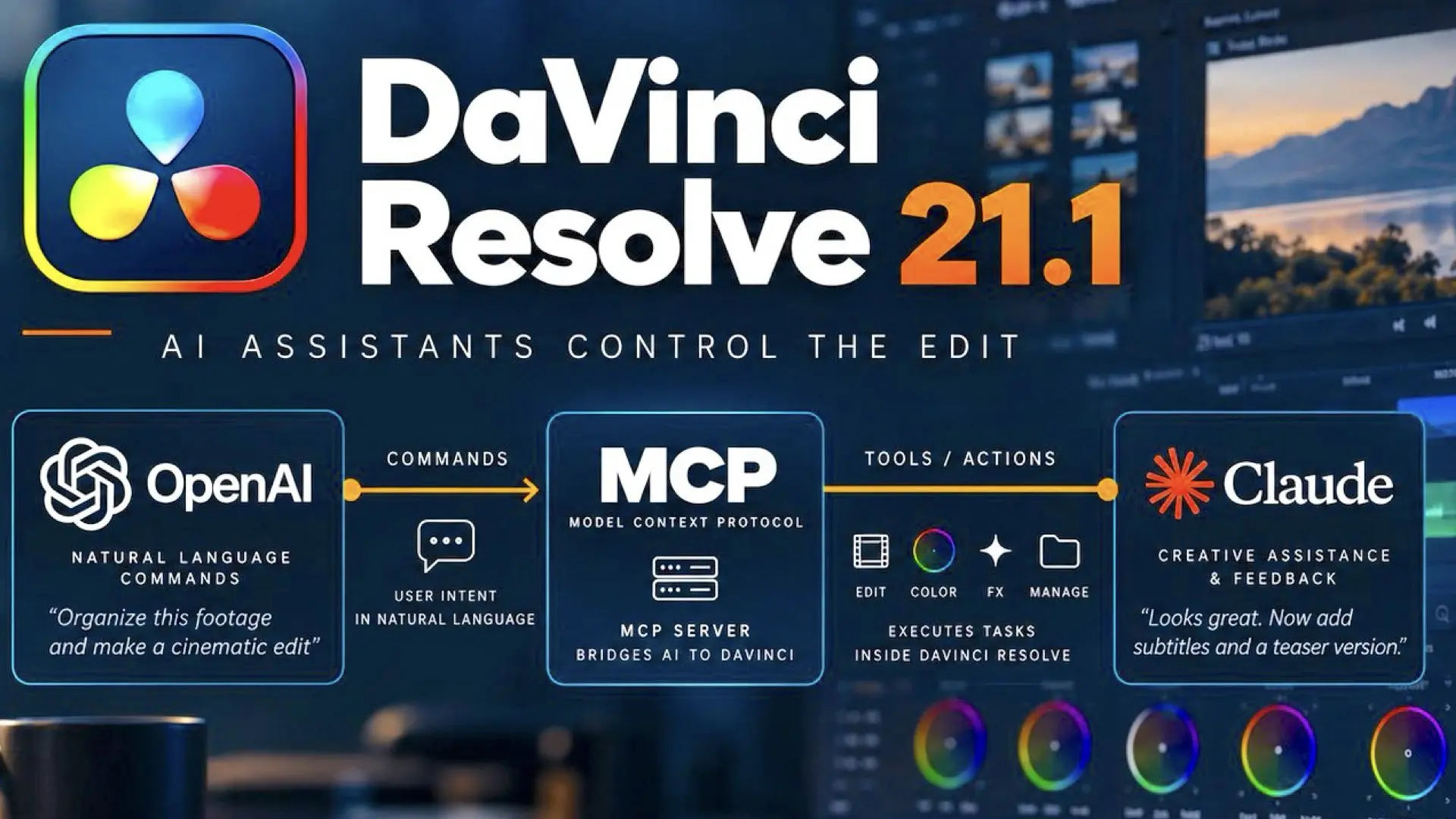
Blackmagic Design has published the September 2026 DaVinci Resolve 21.1 Reference Manual, a document extending beyond 4,300 pages. Buried near the end of that manual is one of the more important additions to Resolve 21.1: a section on page 4,318 titled “Using DaVinci Resolve with AI Assistants.” That page explains how Resolve Studio can now be controlled through natural language using external AI assistants and its built-in MCP server.
What MCP means in Resolve
MCP stands for Model Context Protocol. It is an open standard originally introduced by Anthropic in 2024 to give AI applications a common way to connect with external software, tools, and data. Anthropic describes the idea as something similar to USB-C for AI: one standardized connection rather than a completely different custom integration for every application. Blackmagic did not develop MCP. What it has done is build an MCP server into DaVinci Resolve Studio. Instead of Blackmagic creating one dedicated integration for Claude, another for ChatGPT, and potentially another for every future AI platform, Resolve can expose supported capabilities through the MCP standard. Compatible AI assistants can then communicate with those capabilities. In simple terms: AI assistant → MCP → DaVinci Resolve
The AI can actually operate Resolve
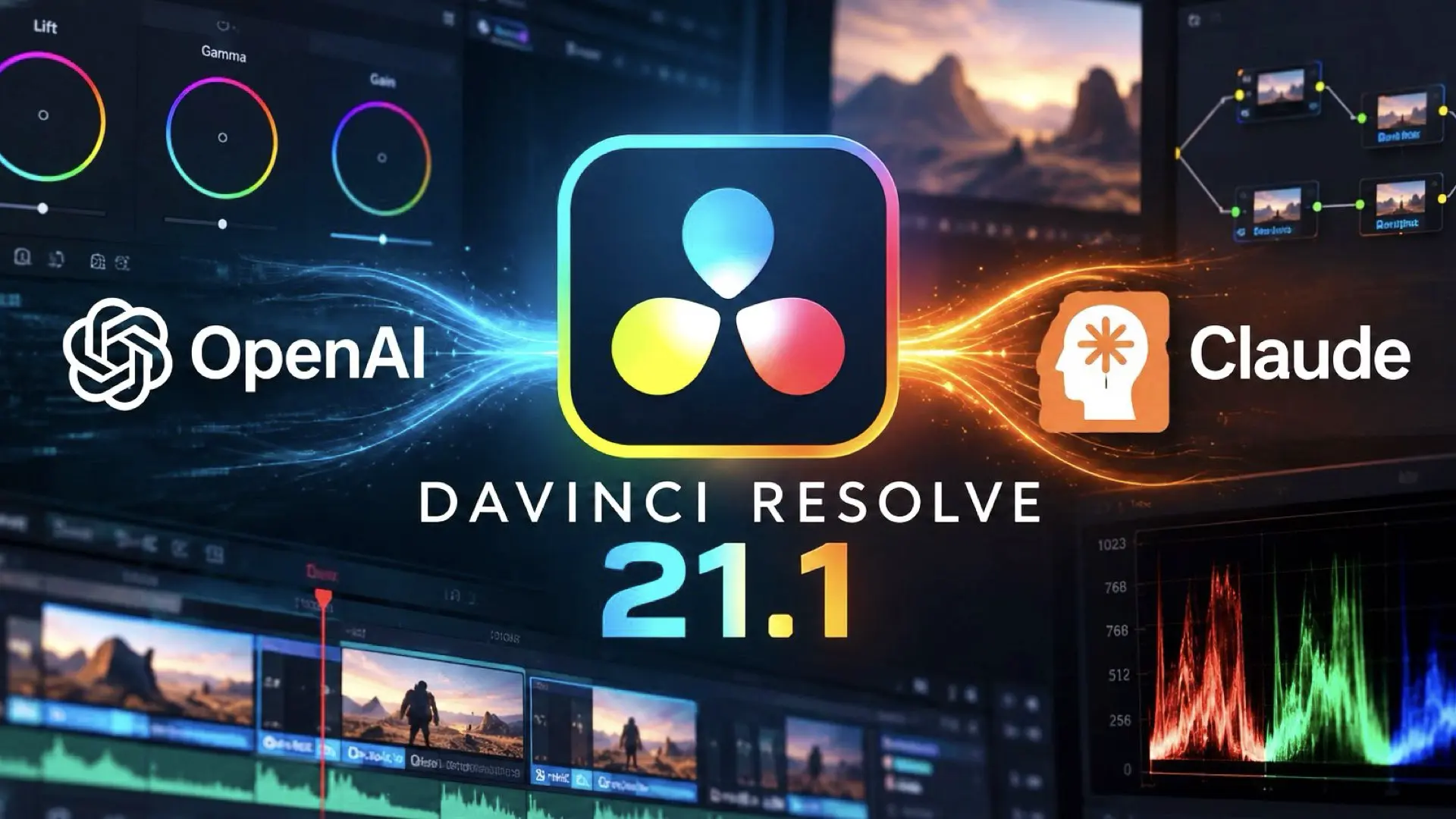
The manual makes clear that this is more than asking an AI how to use Resolve. Blackmagic says users can control Resolve through natural language conversation. The AI assistant can organize timelines, create custom looks, create and run scripts, with those actions reflected directly inside Resolve. Blackmagic’s own example prompts show how practical this can become. A user can ask the assistant to render the current timeline as ProRes 422 HQ, H.265 4K, and a 1080p H.264 proxy. Another example asks the AI to rename every clip on V1 sequentially as Interview_A_001, 002, 003, and so on. Other examples include adding different colored markers and exporting them to CSV, applying a Sony S-Log3 to Rec709 LUT to node 2 of every clip, comparing project settings between two projects, checking whether a project is configured correctly for Netflix delivery, or reframing a timeline to 9:16 vertical. Those are not questions about Resolve. They are instructions to Resolve.
Why this is relevant to editors
The practical value is automation. Editors regularly spend time on technical jobs that do not necessarily require creative judgment: naming clips, organizing material, changing project settings, creating deliverables, preparing different aspect ratios, applying repeated settings, and checking project configurations. MCP provides another interface for those operations. Instead of finding every menu, setting, and command manually, the editor can increasingly describe the desired result and allow the AI assistant to execute the supported steps. That does not mean the AI replaces the editor. The creative decisions remain with the person operating the system. The more immediate benefit is reducing repetitive operational work.
Blackmagic is not locking this to one AI
Another interesting detail appears in Blackmagic’s setup interface. The manual’s configuration screenshot shows Resolve detecting several AI assistants, including Claude Desktop, Claude Code, Codex in ChatGPT, Google Antigravity and Grok. That illustrates one of the main advantages of adopting an open protocol. MCP was designed as a common connection layer between AI systems and external applications. Since its introduction, the protocol has expanded well beyond Claude and has been adopted by major AI platforms and developer tools. For Resolve users, this potentially means choosing an AI assistant rather than being forced to use a Blackmagic-specific model.
Setup is surprisingly simple
Blackmagic’s instructions are straightforward. Users select File > Setup AI Assistants, after which Resolve detects compatible assistants and configures the Resolve MCP server. Once connected, interaction takes place through the AI assistant’s own chat interface. Resolve itself remains the application executing the work. There is, however, an important security consideration. Blackmagic warns that scripts created by an AI assistant have the same access permissions to disk, network and other system resources as the assistant itself. That makes permissions and trust increasingly relevant as AI agents gain the ability to perform real actions rather than simply provide advice.
From AI features to AI-controlled workflows
Resolve already contains many AI-powered tools, but MCP represents something different. Rather than adding another isolated AI feature, Blackmagic is giving external AI assistants a standardized way to interact with the editing application itself. Page 4,318 of a 4,300-plus-page manual may not look like major news at first glance. But the section titled “Using DaVinci Resolve with AI Assistants” explains a potentially important change in how editors will interact with Resolve. The next stage of AI in post-production may be less about adding individual AI buttons and more about simply telling the editing system what needs to be done. The new DaVinci Resolve 21.1 Reference Manual is also now available here.








This means it will also use local self hosted AI, right?
Yes, potentially. MCP itself is model-agnostic, so a local, self-hosted AI could control Resolve if it runs through an MCP-compatible host and can use the tools Blackmagic exposes. Blackmagic currently documents specific assistants, so local model support will depend on the MCP client/host rather than Resolve alone.
How does the Nvidia RTX Spark benefit from this?. Since it an AI agent itself it doesn’t link to the net.
(CAPS=Italics)
SPECIFICALLY designed to work with DaVinci Resolve, INFINITY has developed a line of INFORMATIONAL DENSITY(tm) lenses. They open new vistas for use with all AI programs and DaVinci Resolve in particular. Details are found on my H Jay Margolis LINKEDIN which directs you to a series of white papers, one of which shows these lenses in use with DaVinci Resolve.