

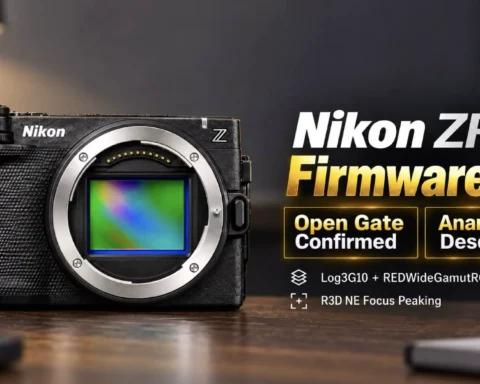
Ever wanted to test a cinema camera before buying it? Nikon just made that possible. The company has officially released free R3D NE sample files shot on the new Nikon ZR ($2,196.95 on Amazon) , and they’re available for anyone to download, edit, and push to the limits.

Real raw footage for real testing
The Nikon ZR is the first camera outside RED’s lineup to shoot R3D NE, a RAW format that merges RED’s color science and workflow compatibility with Nikon’s cinema system. Now Nikon has gone even further, offering full-resolution R3D files directly on its official Z CINEMA page. You can get them here: Download Nikon ZR R3D samples. Once downloaded, the clips can be opened in any professional NLE such as DaVinci Resolve. You can experiment with highlight recovery, shadow depth, color grading, and noise control using the same footage Nikon used to develop the camera’s visual profile. These are genuine 12-bit 6K RAW files, not compressed promotional clips, giving you total flexibility to push and analyze the image.

A direct comparison with RED
What makes this release unique is that Nikon also provides matching R3D samples from the RED Komodo X and RED V-Raptor X. The footage was shot under identical conditions, allowing a side-by-side comparison between the ZR and two of RED’s flagship cinema cameras. Filmmakers can test the consistency of Nikon’s REDWideGamutRGB and Log3G10 pipeline, apply the same LUTs, and evaluate how closely the ZR matches RED’s signature color and tonal behavior. This is an unprecedented opportunity to measure Nikon’s first cinema camera directly against RED’s professional ecosystem using the same lighting, workflow, and grading environment.
How to try it yourself
• Go to the Nikon Z CINEMA ZR features page
• Download the R3D NE sample packages that include chroma key, skin tone, LUT, and low-light scenes
• Open the files in your preferred NLE and start grading
• Compare Nikon ZR results to the included Komodo X and Raptor X footage using identical color settings
Why it matters
Allowing creators to test actual R3D RAW footage before purchase is a bold and transparent move. It shows Nikon’s confidence in the ZR’s capabilities and invites professionals to verify its performance first-hand. This also strengthens Nikon’s collaboration with RED, signaling a new phase for hybrid cinema workflows. For editors, colorists, and cinematographers, this is a rare chance to experience Nikon’s color science next to RED’s established visual identity.

Final thought
Free access to R3D NE test files marks a milestone for Nikon and for digital cinema as a whole. You can now grade, compare, and experience the new Nikon ZR’s RAW performance directly against RED’s cinema lineage, no registration required. Read more about this very special camera: Nikon ZR becomes an Amazon best seller, and Nikon ZR and RED join forces for true cinema

Gear mentioned in this article
Available on Amazon
| Product | New | Renewed | Used |
|---|---|---|---|
| Nikon ZR | $2,196.95 | — | — |
Prices checked: Oct 2, 2026, 1:30 PM GMT+0000
As an Amazon Associate, Y.M.Cinema earns from qualifying purchases. If you buy through our links, we may earn a small commission at no extra cost to you.
Product prices and availability are accurate as of the date/time indicated and are subject to change. Any price and availability information displayed on Amazon.com at the time of purchase will apply to the purchase of this product.
CERTAIN CONTENT THAT APPEARS ON THIS SITE COMES FROM AMAZON. THIS CONTENT IS PROVIDED “AS IS” AND IS SUBJECT TO CHANGE OR REMOVAL AT ANY TIME.
![Nikon Is Developing Nine NIKKOR Z CINEMA T1.9 VV Lenses for RED V RAPTOR [X]](https://ymcinema.com/wp-content/uploads/2026/09/Nikon-Is-Developing-Nine-NIKKOR-Z-CINEMA-T1.9-VV-Lenses-for-RED-V-RAPTOR-X.001-480x384.webp)



The links in Chinese or something any chance for an English one? The link tot he Nikon site
Scroll down that Japanese page, and you will find a table with those download links.
Even with the translation from Japanese to English, that link is simply information about the camera, not downloads of clips. We need an edit here.
Scroll down that Japanese page, and you will find a table with those download links.
Just wondering if I am doing something wrong. When I download the clips they won’t play in RED Player or REDCine X Pro. Says clip is offline. anyone getting the same issues?
In order to test the RED clips, you have to download the new Beta version of REDCINEX, not the stable version because it won’t read them under RED(NE) file. Tried to click the link and I get the 404 error.
Hope it helps
Thank you for this I had the same thing then found this version. hope it helps. https://www.red.com/download/redcine-x-pro-mac?matchtype=&network=g&device=c&adposition=&keyword=&gad_source=1&gad_campaignid=8695225413&gbraid=0AAAAADomwpOrj84NBqa64YBMqxeeNNu2H&gclid=Cj0KCQjw9czHBhCyARIsAFZlN8RUwztRiFqSMTFhpwbS9otPX34hcZ9-0Snu2qL1lw_iMwO3NLmGcqEaAuHNEALw_wcB
Great. I have Windows and it appears that they have the full release in the Windows version (65.0.2–). I can’t wait to try out the ZR